Settings overview
Settings hub
Section titled “Settings hub”On Vendor Desktop, open Settings (/point-of-sale/settings) from Cashier side navigation. Hardware pages (printer, terminal, local data) apply to this lane PC.
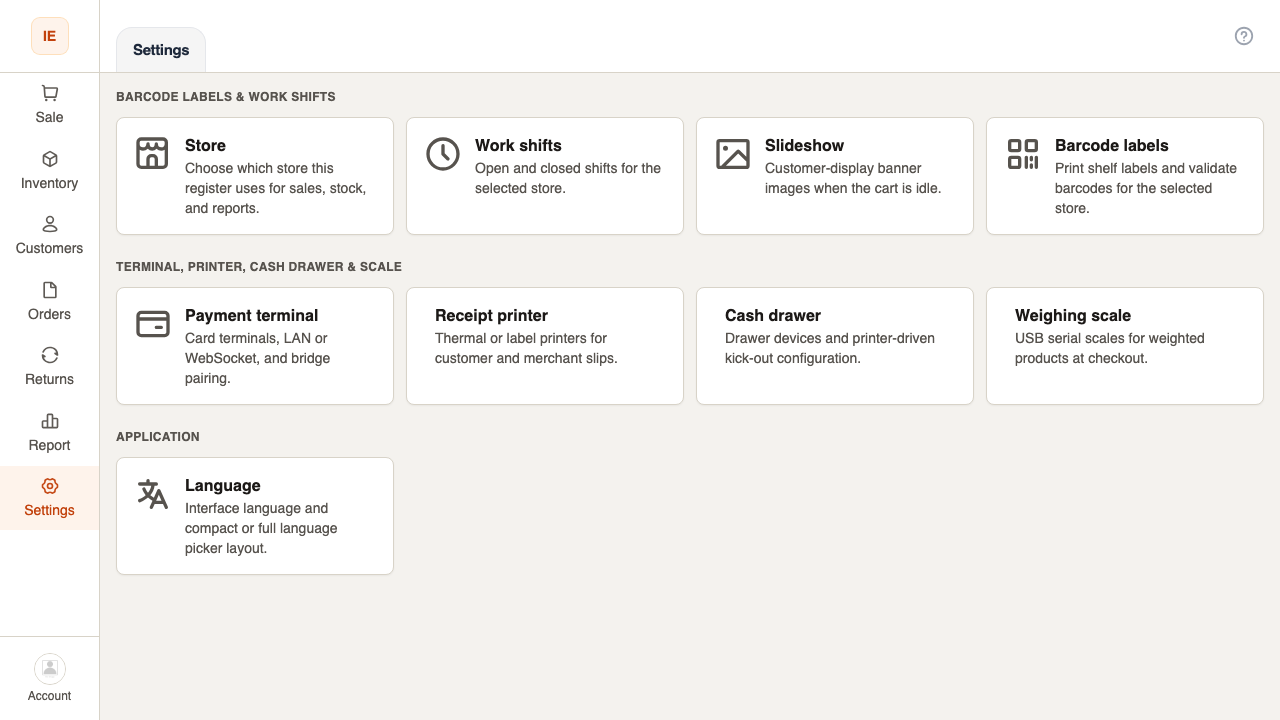
Main sections
Section titled “Main sections”| Area | Route | Purpose |
|---|---|---|
| Store | /point-of-sale/settings/store | Active store for POS |
| Terminal | /point-of-sale/settings/terminal | Payment terminals |
| Receipt printer | /point-of-sale/settings/printer | Receipt devices |
| Label printer | /point-of-sale/settings/label-printer | Shelf labels |
| Cash drawer | /point-of-sale/settings/cash-drawer | Drawer kick |
| Scale | /point-of-sale/settings/scale | Weighing scale |
| Slideshow | /point-of-sale/settings/slideshow | Customer display |
| Profile | /point-of-sale/settings/profile | Account & password |
| Language | /point-of-sale/settings/language | UI language |
| Local data | /point-of-sale/settings/local-data | Desktop SQLite reset |
| About | /point-of-sale/settings/about | App version |
| Startup | /point-of-sale/settings/startup | Launch behavior (desktop) |
Also from Settings cards
Section titled “Also from Settings cards”- Barcode labels →
/point-of-sale/barcode - Work shift →
/point-of-sale/work-shift
Lab / support (restricted)
Section titled “Lab / support (restricted)”- PAX TCP lab, CodePay WS lab, POS bridge agent — for integrators; see technical POS terminal docs.