What is Cashier?
What you will learn
Section titled “What you will learn”Understand what the Cashier (POS workspace) is on Vendor Desktop, who uses it, and how it differs from the vendor dashboard.
Cashier in one sentence
Section titled “Cashier in one sentence”Cashier is the fullscreen point-of-sale UI at /point-of-sale/*, delivered as Vendor Desktop on lane PCs — cart, payment, drafts, orders, returns, reports, printers, and terminals.
Who uses it
Section titled “Who uses it”| Role | Typical access |
|---|---|
| Cashier / store staff | Vendor Desktop on the lane PC; employee login; pos write |
| Store owner | Vendor web dashboard for setup; lane work uses employee accounts on desktop |
| Back office | Dashboard /pos or /dashboard/orders/create — see Other POS surfaces |
Main areas (navigation)
Section titled “Main areas (navigation)”| Tab | Route | Purpose |
|---|---|---|
| Sale | /point-of-sale/sale | Add items, pay, print receipt |
| Items | /point-of-sale/items | Quick catalog lookup (active products) |
| Customers | /point-of-sale/customers | CRM at the lane (module customer) |
| Orders | /point-of-sale/orders | Order history at the store |
| Returns | /point-of-sale/returns | Return / refund orders |
| Report | /point-of-sale/report | Lane-level sales reports |
| Settings | /point-of-sale/settings | Store, terminal, printers, profile |
Also reachable from Settings: Barcode labels (/point-of-sale/barcode), Work shift (/point-of-sale/work-shift).
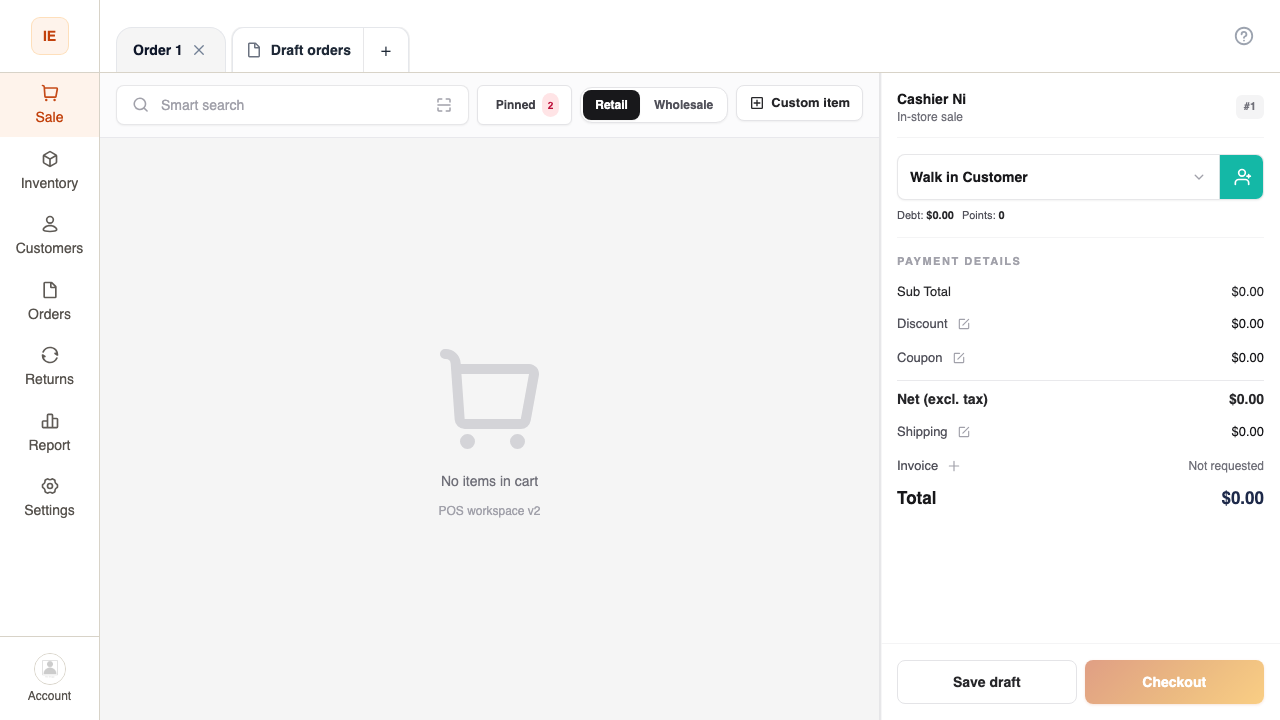
Vendor Desktop vs vendor dashboard (browser)
Section titled “Vendor Desktop vs vendor dashboard (browser)”| Cashier — Vendor Desktop | Vendor dashboard (browser) | |
|---|---|---|
| App | Electron installer on lane PC | Vendor web in Chrome / Edge |
| After login | Only /point-of-sale/* | /dashboard/*, catalog, finance, staff |
| Layout | Fullscreen POS (side nav + top bar) | Sidebar + operational modules |
| Primary task | Fast checkout, print, terminal | Store setup, inventory, roles |
| Offline | Local SQLite + order outbox | Network required for place-order |