Store, lane, and work shift
What you will learn
Section titled “What you will learn”Bind each sale to the correct store, checkout lane, and work shift so reports and cash counts reconcile.
Concepts
Section titled “Concepts”| Term | Meaning |
|---|---|
| Store | Physical location; drives catalog, tax, and store_id on every API call |
| Lane / register | Checkout position (pos_register_id) — one open shift per lane |
| Work shift | Cashier session with opening/closing counts tied to lane + staff |
Before you start
Section titled “Before you start”poswrite for selling.- Lane definitions created in dashboard (Settings → registers / shifts) — see Work shifts (Vendor).
Step 1 — Select store
Section titled “Step 1 — Select store”- In the Cashier top bar, open the store selector.
- Pick the store you are working at.
- Wait for catalog refresh.
Step 2 — Select lane (multi-lane stores)
Section titled “Step 2 — Select lane (multi-lane stores)”- If prompted, choose checkout lane / register.
- When no lane is selected on a multi-lane store, a lane required banner blocks payment.

Step 3 — Open work shift
Section titled “Step 3 — Open work shift”- Go to Settings → hub card Work shift, or
/point-of-sale/work-shift. - Open shift — enter opening cash / slip counts per store policy.
- Confirm shift status is Open.
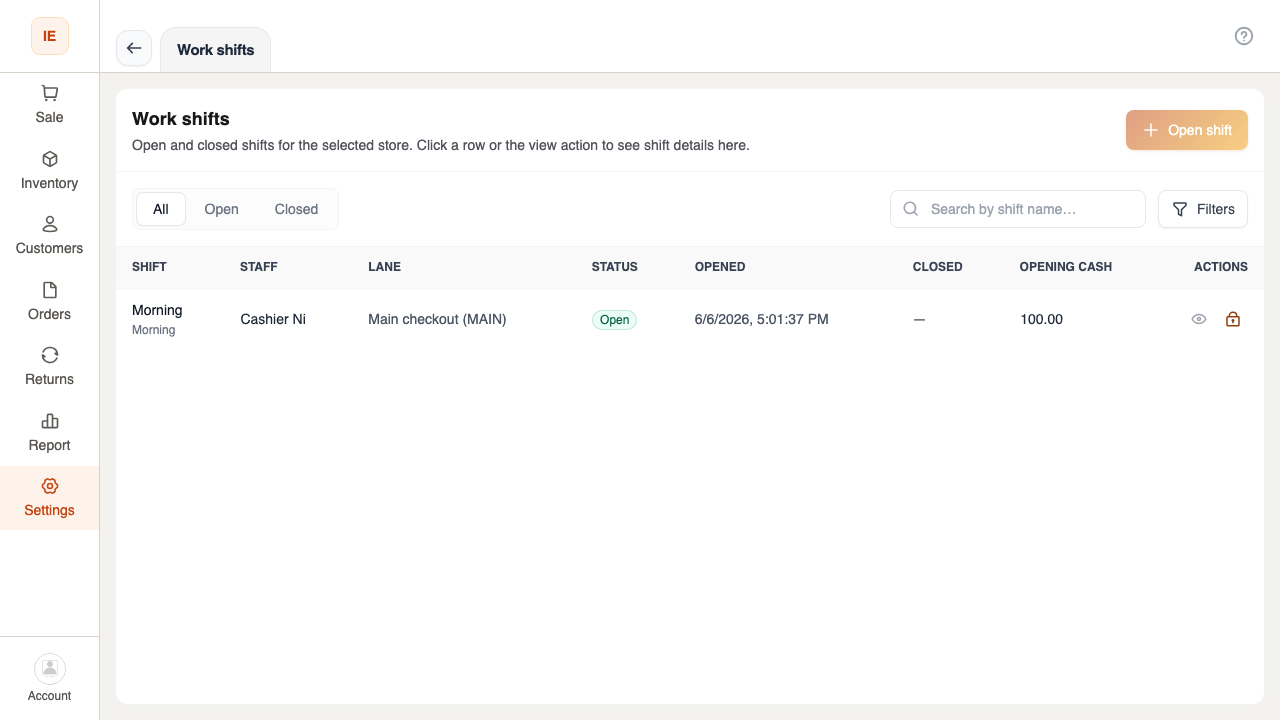
Expected result
Section titled “Expected result”- Top bar shows store + lane (when applicable).
- An open work shift exists for that lane.
- New orders attribute to this shift automatically.
Common issues
Section titled “Common issues”| Symptom | Cause | Action |
|---|---|---|
| Lane banner on Sale | Lane not chosen | Select lane in top bar or shift flow |
| Cannot open second shift on lane | Lane already open | Close previous shift or use another lane |
| Orders on wrong shift | Lane changed mid-session | Close shift; reopen on correct lane |